


FANUC
How to Recover FANUC CNC Password Step by Step
Introduction
Recovering a forgotten password on a FANUC CNC machine doesn't have to be a nightmare. With our FANUC PMC Ultimate Recovery Toolkit, you can easily retrieve your password and regain access to your ladder logic.
Step 1: Backup your SRAM
Before attempting any recovery, always backup your machine's SRAM. This ensures that you have a safe restore point if anything goes wrong.
Step 2: Use the Recovery Toolkit
- Open the FANUC PMC Ultimate Recovery Toolkit.
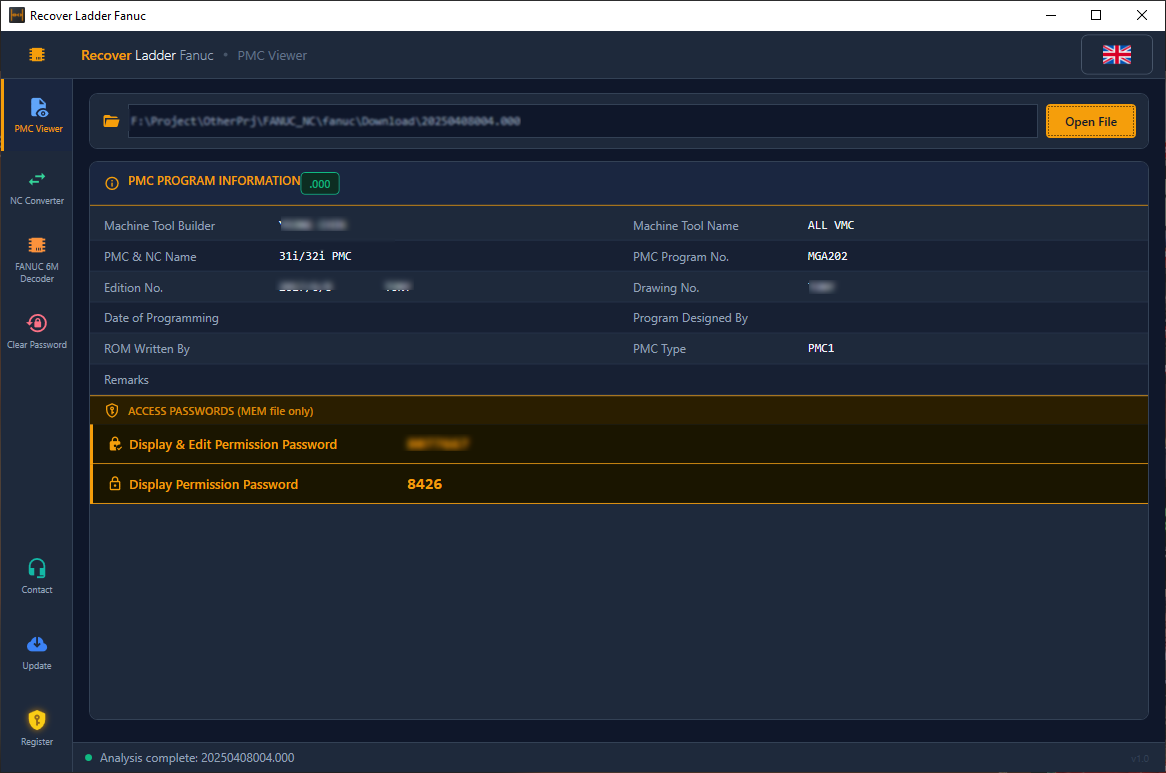
- Select your backed-up SRAM file.
- Click on the Analyze button.
- The software will extract the hidden password from the binary data.
Conclusion
Once you have the password, you can enter it directly into your CNC machine. If you encounter any issues, please contact our support team.